Pentair IntelliFlo Dead? Step-by-Step Checks & Next Steps
Is your Pentair IntelliFlo or similar variable-speed pump totally dead? We walk through safe DIY checks, what a dark display really means, and when to call a pro.
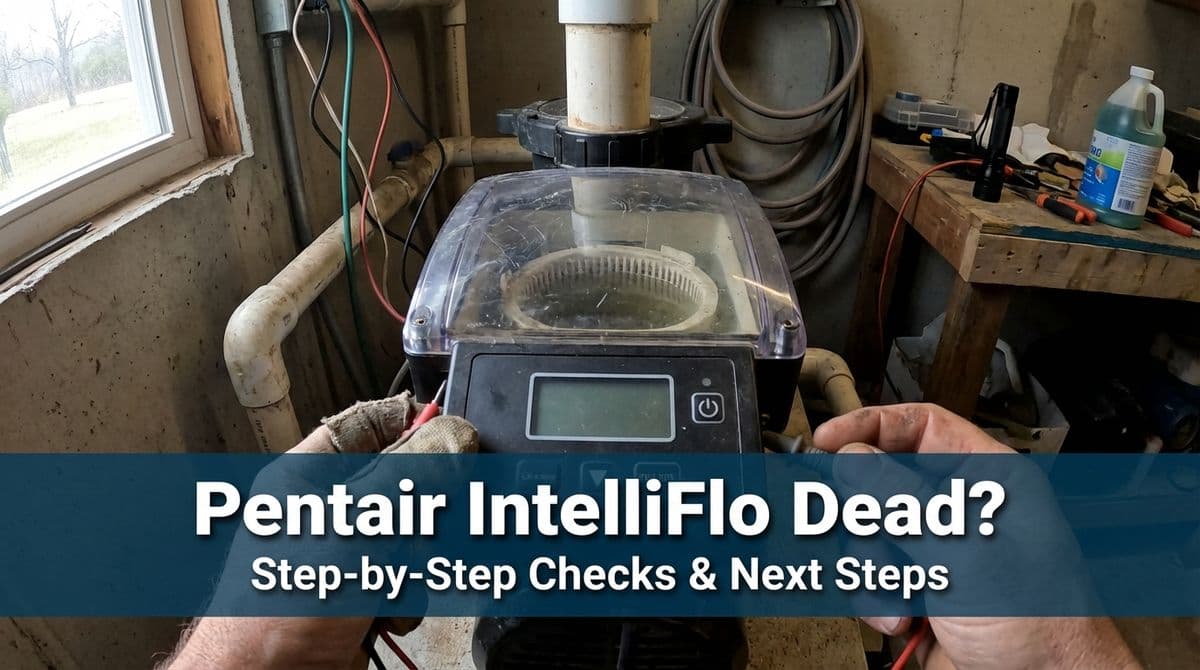
When a “Smart” Variable-Speed Pump Goes Completely Dark
We recently got a call from a customer — let's call him Mark — about his Pentair IntelliFlo Pro 3 variable-speed pump that suddenly went completely dead. No lights on the drive, no error codes, nothing. The breaker by the equipment looked good, and his automation panel still had a power light, so he knew something was energized out there.
Mark’s situation is one we see pretty often with Pentair IntelliFlo and other variable-speed pumps: the system was working fine yesterday, then the next morning the app or controller says the pump is offline, and when you walk out to the pad the pump is totally lifeless.
In this post, we’ll walk through the same basic troubleshooting steps we talked through with Mark, and share how we decide when it’s time for a homeowner to stop DIY testing and call us (or another qualified pool pro) out.
Step 1: Confirm Power Really Is On
Mark had already done the first thing we always recommend: check the breakers. He looked at the main panel and the sub-panel by the equipment and didn’t see any tripped breakers. That’s a great start, but there are a couple of extra checks we usually suggest.
What homeowners can safely check
- Verify all breakers are fully reset. Sometimes a breaker looks “on” but is stuck between positions. Flip the pump breaker all the way off, then firmly back on.
- Look for any GFCI outlets or breakers. Many variable-speed pumps are on GFCI protection. Check for a GFCI receptacle near the equipment or a GFCI breaker in the panel and try hitting the reset button.
- Check the automation/control panel power light. Just like Mark, if your Pentair, Jandy, or other automation box has status lights illuminated, that’s a good sign that at least part of the system is powered.
If all of that looks normal and the pump drive screen is still totally dark (no lights, no beeps, no display), the issue is likely between the breaker and the pump internals — wiring, the drive, or components like the capacitor.
Step 2: Look and Listen at the Pump Itself
When Mark walked out to his IntelliFlo, he noticed there were no lights at all on the drive. That’s an important clue. On a healthy variable-speed pump, you’ll typically see at least a power light or a display, even if there’s a fault.
What to check on the pump (no tools required)
- Inspect the display/drive. Is there any faint glow, blinking light, or partial screen? Total darkness usually points to a power or drive issue.
- Listen when you restore power. After flipping the breaker off and on, put your ear near the drive. A quiet click or brief hum can indicate the drive is at least attempting to power up.
- Look for visible damage. Burn marks on the drive housing, cracked conduit, or exposed wires are all reasons to stop and call a pro immediately.
In Mark’s case, everything looked physically fine, but the pump was absolutely silent and dark. That’s when our conversation turned to internal components.
Step 3: Why We So Often Suspect the Capacitor
On the call, our office team asked Mark the same question we ask a lot of homeowners: “When’s the last time you changed out your capacitor?” With older single-speed pumps, a weak or failed capacitor is a classic reason a motor won’t start.
Mark mentioned that the pump was less than a year old, so he didn’t think capacitor right away. That’s understandable — but as we explained to him, capacitors can fail early. We’ve seen some go bad in as little as six months, even though it’s not the norm.
Can a bad capacitor cause a totally dead pump?
We get this exact question a lot, and Mark brought it up on the call: if the capacitor is out, shouldn’t there still be a light on the pump?
The reality is it depends on where the failure is and on the pump model. On many variable-speed pumps:
- A weak capacitor may allow the display to light up, but the motor won’t actually start or ramps up slowly and trips.
- A shorted or completely failed capacitor can cause internal protection to kick in, sometimes leaving the drive dark to protect other components.
- In some cases, a drive failure can look similar to a bad capacitor from the outside — completely lifeless even though power is present at the breaker.
Diagnosing which part is actually bad requires opening up the unit and using a meter. That’s where we usually draw the line for most homeowners.
Step 4: How Far Should a Homeowner Go With DIY?
When we were talking with Mark, we offered to have him bring in a part if he wanted to tackle the repair himself, but once we heard about the other issues at the pad, we agreed it made more sense for one of our technicians to come out.
Here’s how we generally advise homeowners on DIY troubleshooting for IntelliFlo and similar pumps:
Reasonable DIY checks
- Reset and inspect breakers and GFCIs.
- Confirm automation/control panels have power.
- Visually inspect the pump, drive, and conduit for damage or heavy corrosion.
- Note any leaks around valves, unions, or the pump itself.
Where we recommend stopping
- Removing the drive cover or any electrical compartment without proper training.
- Testing live voltage at the pump or inside panels.
- Swapping capacitors or drive boards without confirming the real root cause.
Modern variable-speed pumps are more like small computers than the old single-speed motors. Guessing and swapping parts can get expensive quickly, and there’s shock risk if the proper procedures aren’t followed.
Bonus Problem: The Mysterious Valve Leak
On top of the dead pump, Mark also mentioned a slow drip on a Jandy-style actuator valve. He couldn’t see a crack from the top, but water was dripping off the bottom of the valve body.
That’s another pattern we run into all the time. Homeowners often worry the entire valve is cracked, but in many cases it’s just worn O-rings or internal seals that need replacement. As we explained to Mark, there are O-rings inside those valves — you remove the handle and loosen the top to access them.
A small drip usually isn’t the direct cause of a dead pump, but when multiple new issues show up at once, it’s smart to have everything checked together. That’s why we scheduled one visit to look at both the IntelliFlo power issue and the actuator leak.
Common Homeowner Mistakes When Troubleshooting
Since we see these situations so often, we’ve noticed a few missteps that can make things worse instead of better. We walked through some of these with Mark so he could avoid them before our tech arrived.
- Repeatedly cycling the breaker. Flipping the breaker on and off over and over in rapid succession can stress electronic components. One or two resets is fine; more than that isn’t helpful.
- Opening equipment in wet conditions. Taking covers off pumps or panels while everything is damp or it’s raining increases the risk of water intrusion and shock.
- Spraying the equipment pad. Trying to “clean” around a dead pump with a hose can drive water into electrical boxes, actually creating new problems.
- Swapping parts based on guesswork. Buying a new capacitor or drive board just because it “might” be the issue can waste money if the underlying problem is wiring or something upstream.
If you’re ever unsure, it’s better to leave things as they are and let a technician see the untouched setup. That often speeds up diagnosis.
How to Prepare for a Technician Visit
When Mark decided to have us come out, we took detailed notes so our tech could diagnose things as quickly as possible. A few minutes of preparation on your side can really help us help you.
Before we arrive, it helps if you:
- Write down what happened and when. For example: “Pump worked last night; app said offline at 10 a.m. today; no lights since then.” That kind of timeline is incredibly helpful.
- List any recent changes. New equipment installed, storms, power outages, or visible leaks (like Mark’s Jandy actuator drip) are all important clues.
- Clear access to the equipment pad. Move trash cans, trim plants, and make sure gates open freely so we can get right to work.
- Know your equipment brands and models. Just like Mark knew he had a Pentair IntelliFlo Pro 3 and a Jandy actuator, sharing that information ahead of time lets us bring likely parts.
We typically apply our trip charge toward the repair if you go forward, so having good notes and clear access often means we can diagnose and fix the issue in a single visit.
When It’s Time to Call in a Pro
If your Pentair IntelliFlo (or any variable-speed pump) is totally dead — no lights, no sounds — but you’ve confirmed power at the panels and maybe even see your automation lights on, it’s usually time to get a professional involved. The problem could be a failed capacitor, a bad drive, internal wiring, or an upstream issue that isn’t obvious without proper tools.
We’re always happy to talk through basic checks over the phone, just like we did with Mark. If the simple troubleshooting doesn’t bring your pump back to life, scheduling a visit is the safest and most cost-effective next step. You’ll get a clear diagnosis, options for repair or replacement, and peace of mind that your system is running the way it should.